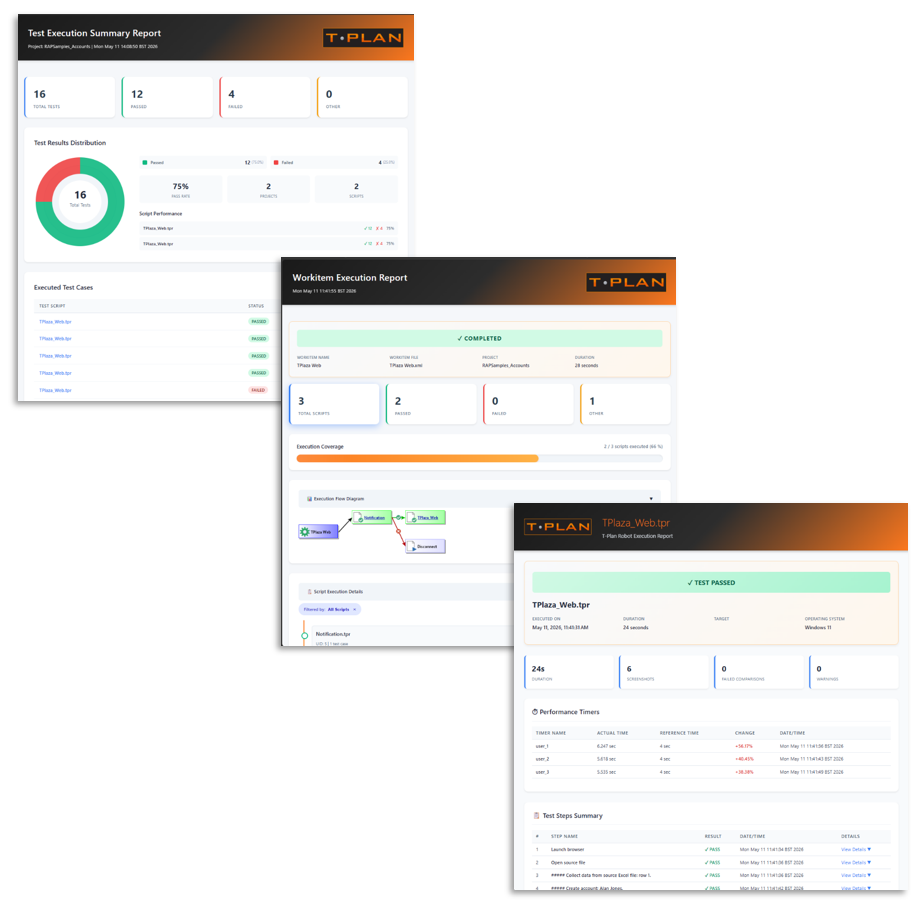
The 9.0 release contains all updates and bug fixes up to version 8.2.4 as well as introducing some additional features and benefits as detailed below.
Version 9.0.4 Update
Improvements:
-
RB-1179: iOS Over Xcode: Faster WDA startup (build/run split)
-
RB-1178: iOS Over Xcode: A mechanism to prevent device screen locks
-
RB-1177: Add disabling option to the AI script generation window
Bug Fixes:
-
RB-1183: Chromium failed to open after screen/monitor configuration change
-
RB-1182: Support of Excel pivot table creation
-
RB-1181: CLI automation refused to run on a headless Linux/Jenkins environment
-
RB-1180: Connection pooling issues
-
RB-1176: Terminal Ctrl+C and Enter fails in the CLI mode for native Robot applications
-
RB-1175: Android connection may fail for minitouch on some devices
-
RB-1174: Corrupted Japanese characters for larger fonts
-
RB-1173: TPR compiler performance improvements
-
RB-1167: Enable stopping of dependency detection in the Build Executable Package dialog
Version 9.0.3 Update
New Features:
-
RB-1154: First usage hint messages
Improvements:
-
RB-1166: New UI languages - Spanish, German and French
-
RB-1161: Robot's default Open AI model has to be updated
-
RB-1159: Enable navigation to the next/previous image in the report image view
-
RB-1130: Speed up Local Desktop typing
Bug Fixes:
-
RB-1172: CLI Wizard command wrong in Mac OS and Linux native apps
-
RB-1171: Setup wizard ignores the language specified through --locale
-
RB-1170: Recorder image file name field font color too bright in dark mode
-
RB-1169: Chromium may fail to load the page on very slow environments
-
RB-1168: Operator exists fails for a certain rare variable content
-
RB-1165: Report update & export actions to treat Workitem and Summary reports properly
-
RB-1163: Hash character in script or Workitem file name breaks reporting
-
RB-1162: Selenium fails to download driver for Chrome
-
RB-1160: Redo doesn't work
-
RB-1158: New reports show incorrect steps results of N/A and Not Tested
-
RB-1156: License Key Manager freezing intermittently
-
RB-1153: Demo issues
Version 9.0.2 Update
New Features:
-
RB-1147: Data input example demo
-
RB-1129: Advanced automation example demo
Improvements:
-
RB-1151: Enable ChatGPT 5.4
-
RB-1144: Enable Claude Fable 5
-
RB-1128: Demo improvements
-
RB-1096: Support sending of PDF and MS Office attachments to AI
Bug Fixes:
-
RB-1149: Include and Run property editors don't resolve relative paths correctly
-
RB-1148: Setup Wizard hangs on leaving the AI screen
-
RB-1146: Automation in the CLI mode fails to establish connection specified through -c/--connect
-
RB-1145: Executable package built on MS Windows fails to start on Mac OS and Linux
-
RB-1143: Improve reliability of iOS screen mirror
Version 9.0.1 Update
New Features:
-
RB-1132: Support conversion (export) of XML+XSL reports to HTML
-
RB-1131: Automatic update of local Selenium Web Driver
-
RB-1126: Support Robot license specified through a system variable
-
RB-1125: One-click update of old reports to the new report templates
Improvements:
-
RB-1142: Upgrade FlatLAF to 3.7.1
-
RB-1141: Support of Claude Opus 4.8
-
RB-1140: Improve license logging on the License Server side
-
RB-1135: Support of iPhone 17e, iPad Pro M5 and iPad Air M4
-
RB-1127: Improve performance of the Selenium hierarchy viewer window
Bug Fixes:
-
RB-1138: License Manager sometimes shows wrong License Server version
-
RB-1133: Report tree fails to refresh after report delete via Delete key
Version 9.0 Overview
Version 9.0 introduces a new guided startup experience designed to help both new and existing users get productive more quickly.
New Features:
-
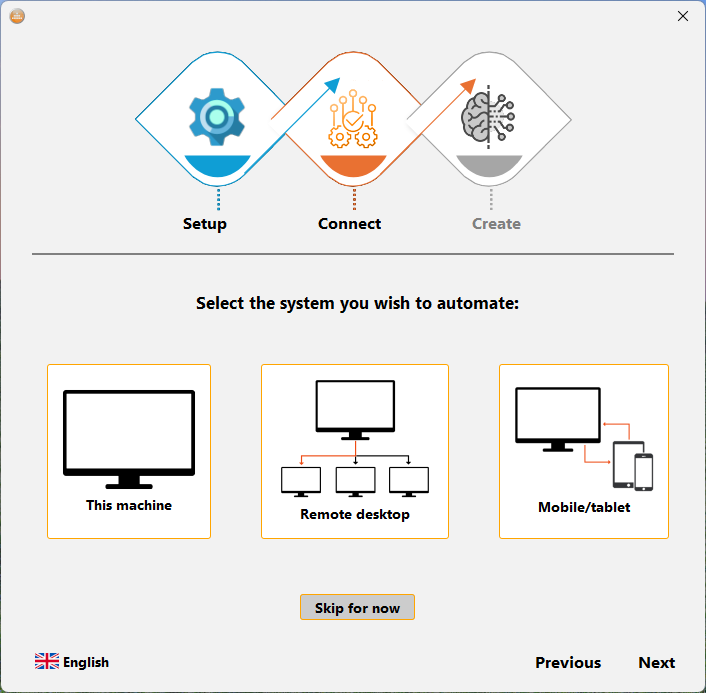
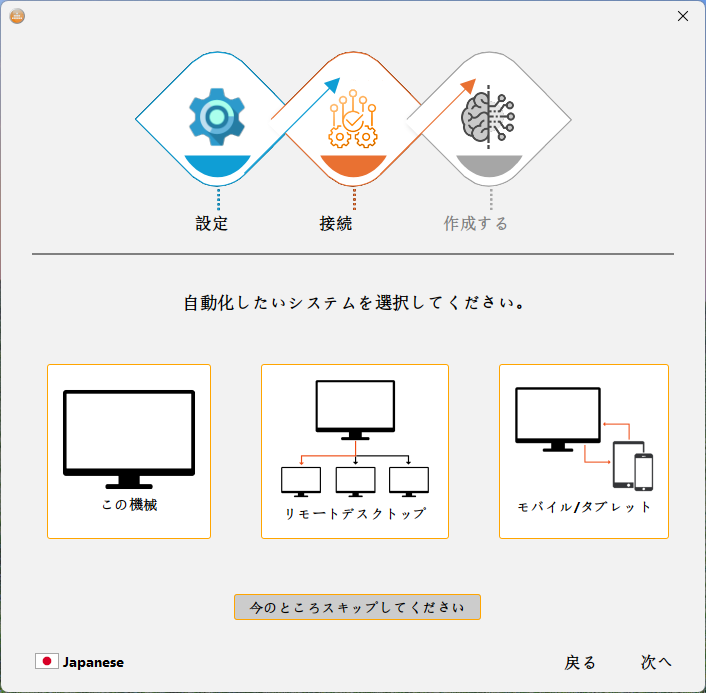
Startup Wizard (RB-1072)
A new guided setup wizard helps streamline initial configuration and project creation. The wizard can assist with:
-
configuring licensing
-
connecting to the target SUT
-
creating an initial Project and Script
-
optionally configuring AI services
Whether you are installing the application for the first time or setting up a new environment, the fully translated wizard provides a faster and more structured starting point.
-
Live Tutorial (RB-455)
Added an interactive live tutorial to help users become familiar with core workflows and features directly within the application, resulting in an executable example.
Improvements:
RB-1121: Upgrade Selenium to 4.43
RB-1116: Prevent UI freeze
RB-1115: Property view to support scaling to small size
RB-1106: Redesigned suite of Reports
RB-974: Upgrade Android Platform Tools to 37
RB-967: Upgrade Chromium to 146
The updated suite of reports bring a unified view of your automation at summary and detailed levels with drill-through navigation.
If you want to see a live example report, you can do so here: Live Execution Report Sample