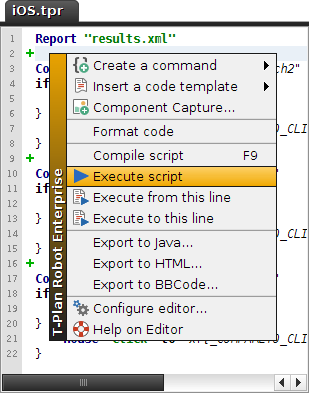
To start the workitem in the GUI mode select the  Execute button on the tool bar or the corresponding Script->Execute menu item while the workitem is opened in the Workitem Editor tool. Once the workitem is executing you may use the
  Stop and
  Pause buttons to stop/pause it. When there are both a workitem and a script opened in the GUI the Execute button always prefers the workitem. To execute the script alone, right click the script editor and select Execute script from the context menu.
As the GUI is not capable of executing scripts in parallel it will always execute them sequentially (one at a time). For parallel executions use the CLI or Java API execution mode together with the -n/--nodisplay option.