

ABBYY Fine Reader 12
バージョン5.0ではABBYY Fine Reader 12のサポートが追加されました。これは主要なOCRエンジンであり、無料のTesseract OCRよりも高速かつ優れた結果(精度)を提供します。これはT-Plan Ltdが追加費用で提供する商用製品です。
-
Supported on MS Windows only
-
Available as an optional plugin
Set Up Instructions
-
Contact the T-Plan support to discuss the licensing options and to get the ABBYY extension archive download link.
-
Extract the archive to the hard drive. Do NOT run the exe installer it contains.
-
Select OCR → ABBYY Installation in the Robot menu:
-
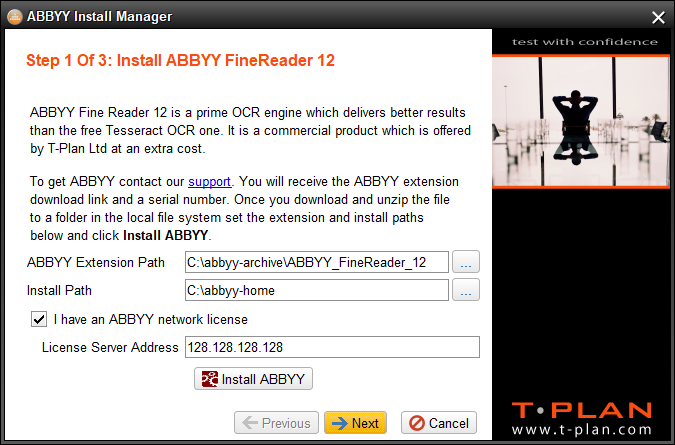
Set the ABBYY Extension Path field to the path of the extracted archive.
-
Set the Install Path to the path to install the engine to.
-
If you obtained the ABBYY network license populate the License Server Address field with address of the server running the ABBYY network engine. If you have a runtime license (you have received a serial number) leave the field empty.
-
Click Install ABBYY to install the engine. Once installed click Next.
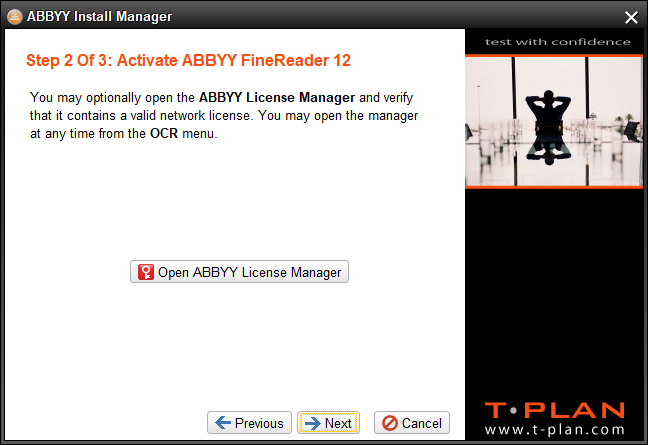
-
If you have a network license you may skip the second screen. Holders of the runtime license must select Open ABBYY License Manager and activate the engine using the serial number obtained from T-Plan.
-
Click Next to proceed to the last screen.
-
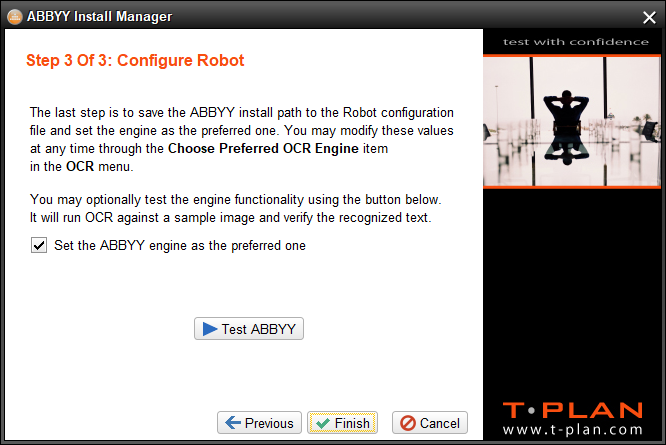
It is recommended to select Verify to run a sample ABBYY text recognition to verify that the engine is working correctly. To make the engine default for OCR operations leave the "Set the ABBYY engine as the preferred one" check box on. You may change the preference at any time using the OCR → Choose Preferred OCR Engine menu item.
-
Select Finish to save the settings.
-
Automation
All commands employing OCR such as CompareTo, WaitFor, Click and Drag will use the preferred engine and they will pick up ABBYY automatically:
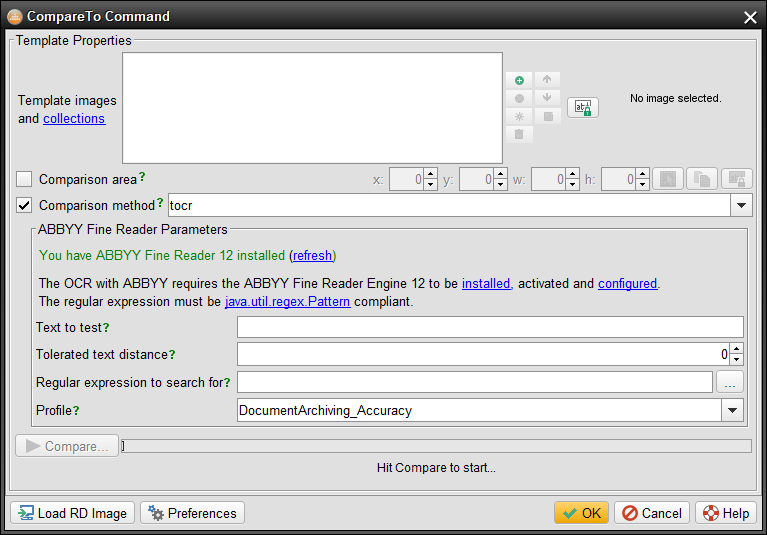
The table below outlines the different search 'profiles' that are available with the ABBYY OCR search method. The table includes details of how each profile works such that you can ascertain which may be best suited to your particular task.
|
Profile Name |
Description |
|---|---|
|
DocumentConversion_Accuracy |
The settings have been optimized for accuracy:
|
|
DocumentArchiving_Accuracy |
The settings have been optimized for accuracy:
|
|
BookArchiving_Accuracy |
The settings have been optimized for accuracy:
|
|
TextExtraction_Accuracy |
Recommended option. The settings have been optimized for accuracy:
|
|
FieldLevelRecognition |
Optimized to detect text in a form layout, containing numerous fields. |
|
BusinessCardRecognition |
For recognizing text from business cards |
|
EngineeringDrawingsProcessing |
It takes into account large size and complexity of engineering diagrams, as well as possibility of different text orientation within the image. The following settings are used:
|
|
Version9Compatibility |
Provided for compatibility, sets the processing parameters to the default values of ABBYY FineReader Engine 9.0. |